
Customer communication does not begin and end with a marketing campaign.
Every day, businesses need to keep customers informed about orders, payments, deliveries, appointments, bookings, service updates, verification codes, and many other transactions.
When these updates are handled manually, they take time, increase the workload of customer service teams, and create more room for delays or errors.
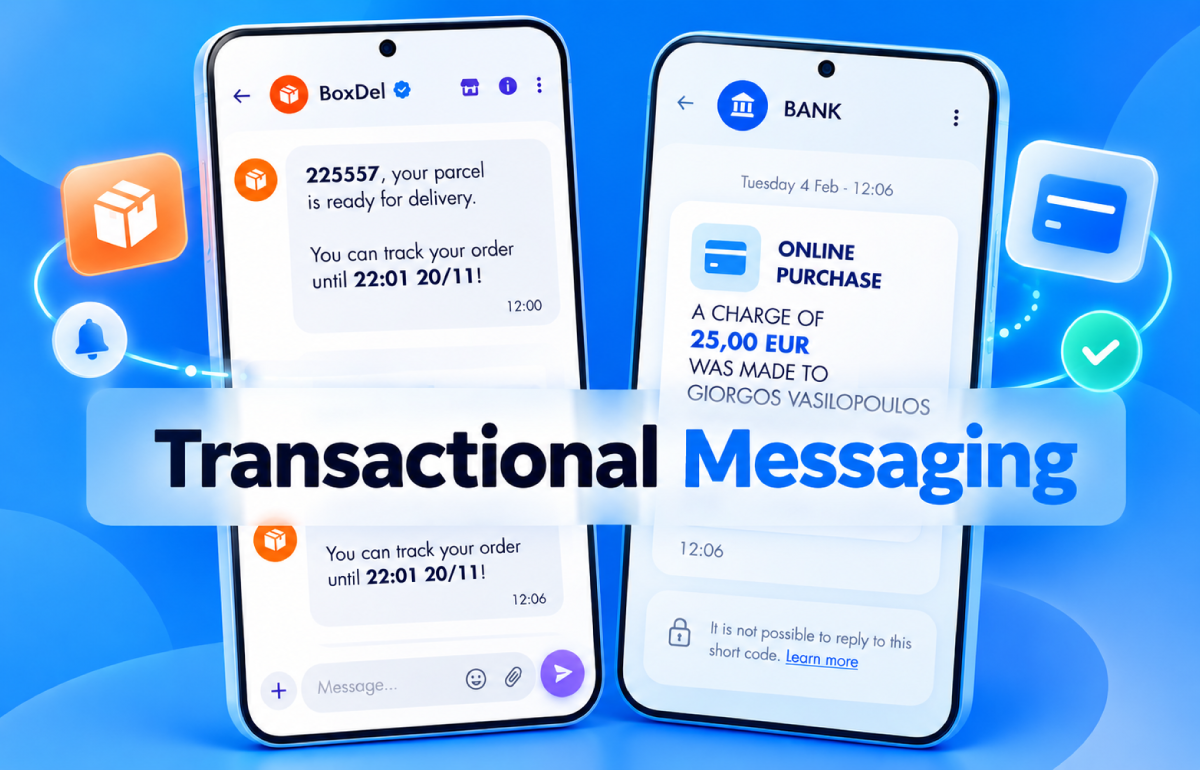
Transactional Messaging enables businesses to automate much of this communication, sending the right message whenever a specific action or transaction takes place.
From an SMS confirming an order to a Viber notification about an upcoming appointment, transactional messages have become an essential part of the modern customer experience.
In this guide, we explore what Transactional Messaging is, how it works, where it can be used, and how you can build an effective automated customer communication strategy.
What Is Transactional Messaging?
Transactional Messaging refers to messages that are automatically triggered by a specific action, transaction, or event related to a customer.
Unlike a mass promotional campaign, a transactional message is typically connected to something the recipient has already done or is expecting.
For example, a customer may:
- make a purchase,
- create an account,
- request a password reset,
- book an appointment,
- make a payment,
- wait for a delivery,
- request a verification code.
The relevant message can then be sent automatically, without requiring human intervention.
This creates communication that is immediate, personalized, and directly connected to the customer journey.
A Simple Example
A customer completes a purchase from an online store. The system can automatically trigger a sequence of communications:
Purchase Completed → Order Confirmation → Shipping Update → Delivery Notification
Transactional Messaging vs Promotional Messaging:
What Is the Difference?
Although they often use the same communication channels, Transactional Messaging and Promotional Messaging serve different purposes.
| Transactional Messaging | Promotional Messaging |
|---|---|
| Triggered by an event or transaction | Initiated by a marketing campaign |
| Primarily serves an informational or operational purpose | Primarily serves a promotional purpose |
| Usually relates to a specific customer | Can be sent to large audiences |
| Timing is critical | Timing is determined by the marketing campaign |
| Connected to a customer journey or process | Connected to marketing objectives |
| “Your order #45821 has been shipped.” | “20% off all new orders today only.” |
The distinction is important not only from a communication strategy perspective, but also because different message types and channels may be subject to different requirements, provider policies, or consent rules.
How Does Transactional Messaging Work?
The fundamental principle behind Transactional Messaging is event-driven communication.
An event occurs within one of the company's systems and automatically triggers a predefined communication.
The process can be illustrated simply as:
Customer Action → Business System → Trigger → Messaging API / Platform → Customer
For example:
Order Completed → E-commerce Platform → Trigger → SMS API → Confirmation SMS
or:
New Appointment → CRM → Trigger → Messaging Platform → Viber Reminder
The trigger can originate from various business systems, including:
- CRM,
- ERP,
- e-commerce platform,
- booking system,
- application,
- website,
- payment platform,
- logistics system,
- helpdesk.
In this way, communication moves from being a separate manual task to becoming an integrated part of the company's operations.
10 Transactional Messaging Use Cases You Can Automate
Transactional Messaging can be used for much more than simple order confirmations.
1. Order Confirmations
As soon as a purchase is completed, the customer can automatically receive a confirmation containing:
- order number,
- total amount,
- key purchase information,
- tracking or order management link.
An immediate confirmation reduces post-purchase uncertainty and reassures customers that their order has been successfully placed.
2. Shipping and Delivery Updates
“Where is my order?” is one of the most common questions e-commerce businesses receive.
With automated notifications, you can keep customers informed as their order progresses:
Order Being Prepared → Handed Over to Courier → Out for Delivery → Delivered
Customers receive proactive updates, reducing the need to contact customer service for order status information.
3. Appointment Reminders
Medical practices, clinics, repair shops, beauty salons, gyms, and many other businesses can automate appointment reminders.
For example:
24 Hours Before → Reminder
and, if required:
2 Hours Before → Second Reminder
The message can also give customers the option to confirm, cancel, or reschedule their appointment.
4. Booking Confirmations
Hotels, restaurants, travel companies, and other booking-based businesses can automatically send:
- booking confirmation,
- date and time,
- booking reference,
- instructions,
- useful information before arrival.
5. Payment Notifications
Transactional Messaging can be used at different stages of a financial transaction.
For example:
- successful payment confirmation,
- failed transaction notification,
- invoice issuance,
- upcoming payment due date,
- overdue payment reminder.
This allows financial notifications to be integrated directly into the company's billing processes.
6. OTP and User Verification
One-Time Passwords (OTPs) are used to verify a user's identity or confirm a specific action.
Common use cases include:
- login verification,
- account creation,
- phone number verification,
- password reset,
- transaction confirmation.
The message is sent automatically, and the code typically remains valid for a limited period of time.
7. Password Reset
When a user requests a password change or reset, the process needs to be immediate.
An automated transactional message can contain a temporary code or the instructions required to complete the process.
8. Service Alerts
Not all transactional messages are related to purchases.
A business may need to inform customers about:
- scheduled maintenance,
- temporary service interruptions,
- changes in operating hours,
- technical issues,
- changes in request or service status.
In these situations, delivering information quickly can be particularly important.
9. Account Notifications
Customers can automatically receive notifications about important changes to their account.
For example:
- password changes,
- new login activity,
- account detail updates,
- service activation,
- subscription expiration.
10. Customer Service Updates
A helpdesk or ticketing system can also be connected to a messaging platform.
Customers can receive updates as their request progresses:
Request Created → Assigned → Status Changed → Resolved
This means they do not have to repeatedly return to a portal to check the status of their request.
Which Channels Can You Use for Transactional Messaging?
There is no single communication channel that is ideal for every use case.
The right choice depends on the type of notification, how quickly it needs to be delivered, the content of the message, and the customer's communication preferences.
SMS
SMS remains particularly useful when information needs to reach the recipient quickly without requiring a specific application.
It is well suited for:
- OTPs,
- reminders,
- service alerts,
- delivery notifications,
- confirmations,
- urgent notifications.
Viber Business Messages
Viber Business Messages offer richer content capabilities and can be used for transactional communications where a more engaging experience is required.
Depending on the message type and available features, businesses can use text, images, buttons, and links.
Email remains useful when a message needs to include more detailed information or documents.
For example:
- invoices,
- detailed order confirmations,
- contracts,
- travel documents,
- detailed account updates.
Voice
For specific use cases, voice calls can also be used for automated notifications or verification.
However, choosing the right channel does not always have to mean relying on a single one.
This is where an important capability comes into play: fallback.
What Is Fallback and Why Is It Important?
Suppose you want to send an important transactional notification via Viber.
What happens if the recipient cannot receive the message through that channel?
A properly designed communication flow can use a secondary channel.
Viber → Message Not Delivered → SMS Fallback
This means the business does not have to rely exclusively on one channel for an important customer update.
Fallback is particularly valuable when successful message delivery matters more than the initial channel selected.
How Does Transactional Messaging Connect with CRM, ERP, and E-commerce Platforms?
The real value of automation emerges when your messaging infrastructure communicates directly with the systems where your business data is generated.
E-commerce
A change in order status can automatically trigger a customer notification.
Order Confirmed → Confirmation Message
Order Shipped → Shipping Notification
Order Delivered → Completion Message
CRM
A change to a customer record or workflow can trigger:
- reminders,
- follow-ups,
- appointment updates,
- notifications.
ERP
An ERP system can trigger notifications related to:
- orders,
- invoices,
- balances,
- payments,
- shipments.
This allows information to move directly from internal business systems to the customer without requiring an employee to manually monitor every change.
How to Build a Transactional Messaging Strategy
Automation does not mean simply sending more messages.
It means delivering the right message to the right customer, at the right time, through the right channel.
1. Map the Customer Journey
Identify the key points at which customers need to receive information.
For an e-commerce business, this might look like:
Order → Payment → Preparation → Shipping → Delivery
For a booking system:
Booking → Confirmation → Reminder → Appointment → Follow-up
2. Define the Triggers
Each stage should have a clearly defined event.
For example:
order_status = shipped
can automatically trigger a shipping notification.
3. Choose the Right Channel
Consider:
- how urgent the message is,
- how much information it needs to contain,
- whether interaction is required,
- which channels are available to the recipient,
- the cost of each message.
4. Create Fallback Logic
For important communications, consider what should happen if the first channel fails.
For example:
Viber → SMS Fallback
5. Personalize the Content
Transactional does not have to mean impersonal.
Depending on the use case, a message can include dynamic information such as:
- name,
- order number,
- date,
- time,
- amount,
- status,
- unique link.
However, the information included should be limited to what the recipient actually needs and handled in accordance with appropriate data protection practices.
6. Measure Performance
A modern messaging infrastructure should allow you to monitor the performance of your communications.
Depending on the channel, relevant metrics may include:
- delivery rate,
- failed messages,
- response rate,
- click-through rate where applicable,
- cost per message,
- performance by channel.
These insights can help you continuously optimize your communication workflows.
Common Transactional Messaging Mistakes
Sending Too Many Notifications
Automation makes sending messages easy. That does not mean every minor update requires a notification.
Poor Timing
A reminder that arrives after an appointment has no value. The same applies to a delayed order status notification.
Unclear Messages
Recipients should immediately understand:
what happened, what it means, and whether they need to take action.
No Fallback Strategy
For critical notifications, relying on a single channel can create gaps in customer communication.
Poor Data Quality
Incorrect phone numbers, outdated customer records, or inaccurate triggers can cause problems regardless of how sophisticated the messaging platform is.
Automation Without Monitoring
An automated process should not operate as a “black box.” Businesses need reporting, visibility into failed deliveries, and a clear process for handling exceptions.
What to Consider When Choosing a Transactional Messaging Solution
Consider the complete solution:
| Name | What to Consider? |
|---|---|
| Channels | Does it support SMS, Viber, or the other channels your business requires? |
| APIs | Are APIs available for integration with your existing systems? |
| Scalability | Can the infrastructure handle higher messaging volumes as your business grows? |
| Reporting | Can you monitor delivery and performance? |
| Fallback | Can you create communication flows across different channels? |
| Security | How are data and platform access protected? |
| Support | Is technical support available for integration and troubleshooting? |
| Pricing | Is the total cost of the solution transparent, rather than just the price of an individual message? |
Conclusion
Customers do not simply want more communication. They want useful information at the moment they need it.
Transactional Messaging enables businesses to turn everyday updates — from an order confirmation to an appointment reminder or OTP code — into automated communication flows.
When messaging channels are connected to CRM, ERP, e-commerce, and other business systems, every important customer event can trigger the appropriate communication without unnecessary manual processes.
The result is communication that is more immediate, consistent, and scalable, while creating a better-organized customer experience.
For businesses, therefore, the real question is not simply “Which messaging channel should we use?”
It is:
“Which points in our customer communication can we automate?”
Talk to an Expert