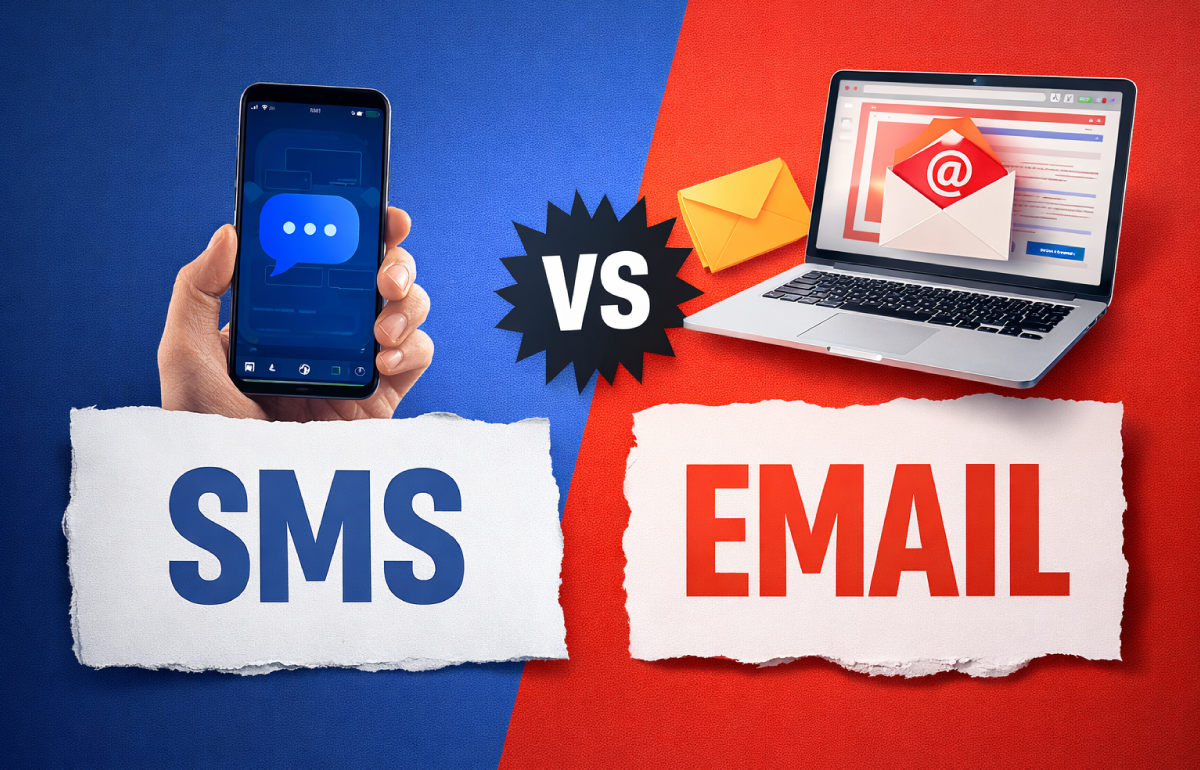
SMS vs Email Marketing: Which Performs Better for Businesses?


SMS and email marketing are two of the most effective communication channels for businesses, each with different strengths and use cases.

SMS marketing offers immediate communication and high conversion rates, while email marketing is better suited for detailed content and long-term customer engagement.

In this article, we compare the two channels, analyze their performance and explain when to use each one.


What is SMS Marketing?


SMS marketing is the use of text messages to send promotional or transactional communications directly to customers.

It is one of the most direct communication channels, as messages are delivered instantly to users’ mobile devices and are typically read within minutes.


What is Email Marketing?


Email marketing is the use of email to communicate with customers, promote products and build long-term relationships.

It is ideal for delivering more detailed content, newsletters and personalized campaigns.


SMS vs Email Marketing: Key Differences


SMS is immediate and conversion-focused, while email is more suitable for detailed communication and customer relationship building.

SMS Marketing Email Marketing
Instant delivery May be delayed or ignored
Very high open rate Lower open rate
Short messages Long-form content
Conversion-focused Relationship-focused
Mobile-first Multi-device

Which Channel Has Better Conversion Rates?


SMS marketing typically achieves higher conversion rates due to its immediacy and visibility.

In general:

  • SMS: extremely high open rates (up to 98%)
  • Email: lower open rates but more content flexibility

This makes SMS more effective for:

  • time-sensitive offers
  • reminders
  • urgent campaigns

When to Use SMS Marketing


  • immediate customer action
  • to promote limited-time offers
  • to send reminders or alerts
  • to reduce abandoned carts
  • to deliver critical updates

When to Use Email Marketing


  • provide detailed information
  • build long-term customer relationships
  • send newsletters
  • showcase products or services
  • deliver content-rich campaigns

SMS or Email: Which is Better?


The best approach is not choosing one over the other, but using both strategically.

SMS works best as a trigger channel, while email acts as a nurturing channel.


Omnichannel Strategy: The Best of Both Worlds


Businesses that combine SMS and email marketing achieve:

  • higher engagement
  • better conversion rates
  • improved customer experience

Example:

  • Send an email campaign with an offer
  • Follow up with an SMS reminder
  • Drive users back to complete the action

Best Practices for SMS & Email Marketing


1. Use Segmentation
Divide your audience into groups for more targeted messaging.

2. Adapt Content to Each Channel
Do not send the same message via SMS and email.

3. Optimize Timing
Timing plays a critical role in campaign performance.

4. Use Clear Calls-to-Action (CTA)
Guide users toward a specific action.


How Yuboto Supports Your Marketing Strategy


Yuboto provides business communication solutions that enable companies to leverage both SMS and email marketing effectively.

With Yuboto, you can:

  • launch SMS campaigns
  • Send transactional and promotional emails
  • send personalized messages
  • integrate these channels into your systems
  • optimize campaign performance

Frequently Asked Questions


Is SMS better than email marketing?
Not necessarily. SMS is more immediate, while email allows for more detailed communication.

Which channel has higher conversions?
SMS typically achieves higher conversion rates.

Can I use both SMS and email?
Yes, and this is the most effective strategy.

When should I use SMS?
When you need immediate customer response.


Conclusion


SMS and email marketing are not competing channels, they are complementary.

Businesses that use both strategically can increase significantly the total number of conversions, improve engagement and consequently deliver a better customer experience.


Talk to an Expert More

Omnichannel Communication: How to Combine SMS, Viber and Email for Better Customer Engagement


In today’s digital environment, businesses communicate with their customers through multiple channels. Email, SMS, messaging applications and social platforms have become essential tools for modern customer communication.

However, the real challenge is not simply using multiple channels, but integrating them effectively.

This is where Omnichannel Communication becomes essential.

By implementing a well-structured omnichannel strategy, businesses can deliver a seamless customer experience, improve engagement and increase conversion rates.

In this article, we explore how organizations can effectively combine SMS, Viber and Email to create a powerful omnichannel communication strategy.


What is Omnichannel Communication


Omnichannel Communication is a strategy that leverages multiple communication channels to create a unified and consistent customer experience.

Unlike traditional multichannel communication—where each channel operates independently—omnichannel strategies integrate all channels to work together seamlessly.

For example:

  • A customer receives an email about a promotional offer
  • If the email is not opened, a SMS reminder is sent
  • The customer can then continue interacting through a Viber message

This coordinated approach ensures a consistent and engaging customer journey.


Why Omnichannel Communication Matters for Businesses


Modern consumers interact with brands across multiple communication channels every day.

Some customers prefer email, others messaging apps, while many respond best to SMS notifications.

By adopting an omnichannel communication strategy, businesses can:

  • increase customer engagement
  • improve the overall customer experience
  • boost conversion rates
  • reduce missed communications

Most importantly, omnichannel communication allows businesses to reach customers through their preferred channel at the right time.


How to Combine SMS, Viber and Email


Each communication channel has unique strengths. When used together strategically, they form a powerful omnichannel communication ecosystem.


Email: Ideal for Detailed Communication


Email is commonly used for:

  • newsletters
  • promotional campaigns
  • product announcements
  • customer updates
  • educational content

Emails allow companies to include visuals, links and detailed information.

However, email open rates can sometimes be lower compared to other channels.


SMS: Instant and Highly Reliable Communication


SMS messages typically offer:

  • extremely high open rates
  • instant delivery
  • immediate visibility

Common use cases include:

  • OTP verification
  • appointment reminders
  • order notifications
  • alerts and service updates
  • limited-time offers

A company might send an SMS reminder about a promotion previously communicated via email.


Viber: Interactive and Engaging Messaging


Viber Business Messaging enables businesses to communicate with customers in a more interactive way.

  • images
  • buttons
  • links
  • call-to-action elements
  • rich media content

Ideal for:

  • promotional campaigns
  • customer engagement
  • conversational marketing
  • personalized offers

Example of an Omnichannel Campaign


Step 1
The company launches an email campaign announcing a new promotion.

Step 2
Customers who do not open the email receive an SMS reminder.

Step 3
Interested customers receive a Viber message with a purchase button.

This approach significantly increases conversion rates.


Best Practices for Omnichannel Communication


1. Maintain Message Consistency
Ensure consistent communication across all channels.

2. Personalize Communication
Personalization increases engagement.

3. Optimize Timing
Sending messages at the right time is crucial.

4. Respect Customer Preferences
Allow customers to choose their preferred channel.


How Yuboto Supports Omnichannel Communication


Yuboto provides advanced communication solutions that enable businesses to combine multiple messaging channels.

  • SMS messaging
  • Viber Business Messaging
  • Email communication tools
  • API integrations

These solutions help businesses create powerful omnichannel campaigns.


Conclusion


Omnichannel Communication is a core element of modern business strategy.

Combining SMS, Viber and Email helps businesses improve engagement and increase conversions.

Companies that adopt omnichannel strategies gain a strong competitive advantage.


Talk to an Expert More

Business Messaging: Benefits, Use Cases, and Examples


In the digital world, speed and ease of communication define the customer experience. Consumers have grown accustomed to instant responses, personalized interactions, and frictionless communication.

Business messaging is not just another communication channel. It is the way businesses build relationships, increase engagement, and enhance the overall customer experience.


What Is Business Messaging?


Business messaging describes how companies initiate and manage communication with their customers through modern messaging channels. It allows customers to reach out to a brand and businesses to respond instantly through two-way conversations, rather than one-way, mass communications such as advertisements or email campaigns.

Unlike traditional, one-directional communication, business messaging creates a dynamic dialogue that improves customer experience and strengthens customer engagement.


Business Messaging Channels


The most widely used business messaging channels include:


SMS

SMS

Viber

Viber

Webchat

Webchat
(live chat on a website)


Facebook Messenger

Facebook Messenger

WhatsApp

WhatsApp

Social media

Social media
direct messages (DMs)


Business messaging meets customers where they already feel comfortable. It does not require them to download new applications, but instead leverages the native messaging apps they already use every day.


Why Business Messaging Is Essential Today


Modern consumers no longer want to pick up the phone to request support. They prefer sending a message through a company’s website or replying directly to a business SMS with their questions.

This is exactly where business messaging comes in: offering fast, direct, and natural communication, on the channel and at the moment the customer chooses.


Benefits of Business Messaging


Business messaging benefits both businesses and customers, it is a true win-win investment. Here are some of the most important advantages it offers:


Reach More Customers


Businesses that offer multiple messaging channels do not exclude customers with specific communication preferences. Instead, they allow customers to choose the channel that suits them best, increasing engagement and accessibility.


Real-Time Conversations


Customers do not want to wait days for a response, they often need help immediately. With instant messaging, businesses can respond quickly, significantly improving the customer experience.
Whether it’s a simple question about product size or color, a fast response can make the difference and drive conversions before the customer turns to a competitor.


Handle Multiple Conversations Simultaneously


Unlike phone calls, where an agent can only assist one customer at a time, business messaging enables teams to manage multiple conversations simultaneously without compromising service quality or customer experience.


Increased Customer Satisfaction


When customers communicate through their preferred channels and receive clear, timely responses, satisfaction levels rise. Business messaging helps resolve requests faster and delivers a more positive overall experience.


Rich Content: Images, Videos, and More


Unlike a phone call, business messaging supports rich media. Businesses can send messages with images, emojis, GIFs, and videos, from product photos to short video tutorials. At the same time, customers can share screenshots or files, making support even more effective.


9 Business Messaging Examples in Practice

Now that we’ve explored the benefits of business messaging, let’s see how it works in real-world scenarios. Below are 9 key use cases that show how businesses can leverage messaging across every stage of the customer journey.


Yuboto

1. Welcome messages

First impressions matter. Send a welcome message to new customers or subscribers within minutes of sign-up. Introduce your brand, clearly outline what type of communication to expect, and include clear opt-out instructions.
A strong welcome message boosts engagement and sets the foundation for a positive relationship. Adding a small incentive, such as an offer or useful resource, delivers immediate value.


Yuboto

2. Promotional Messages

Drive sales with targeted promotional messages that include exclusive discounts, limited-time offers, or early access to new products. The goal is to make the content compelling enough for customers to stay subscribed.
Urgency works, as long as it’s used in moderation. Campaigns should be based on customer behavior and preferences to avoid message fatigue.


Yuboto

3. Confirmations

Reduce customer anxiety by sending instant order confirmations. Let customers know their order was received, include key details, the total cost, and a reference number.
For appointment-based businesses, confirmation messages with date, time, and location are essential. These transactional messages have exceptionally high open rates because customers expect them.


Yuboto

4. Reminders

Reduce no-shows by sending reminders 24–48 hours before an appointment. Include all relevant details and allow customers to confirm, reschedule, or cancel directly through the message.


Yuboto

5. Customer Service

Offer customers a fast and convenient way to get support without phone calls. Business messaging allows agents to handle multiple conversations while sharing screenshots, product images, or troubleshooting videos.
Conversation history remains available, allowing interactions to resume at any time, improving resolution times and customer satisfaction.


Yuboto

6. Shipping Notifications

Keep customers informed at every stage of the delivery process. Send a message when the order ships, include tracking details, notify them when it’s out for delivery, and confirm arrival.
Proactive shipping notifications reduce “Where is my order?” inquiries and build trust, increasing the likelihood of repeat purchases.


Yuboto

7. Security Alerts

Protect your customers with immediate alerts for suspicious activity, unusual login attempts, or potential security incidents. Speed is critical.
Messages should be clear, actionable, and include specific steps customers can take to secure their accounts.


Yuboto

8. Verifications

Send one-time passwords (OTPs) and verification codes for logins or sensitive transactions. SMS and messaging apps are ideal for two-factor authentication (2FA), as users can access codes instantly without switching apps.
ime-sensitive codes add an extra layer of security for both businesses and customers.


Yuboto

9. Ongoing Conversations

Enable real-time conversations between your team and customers. Sales teams can guide prospects, answer questions, and close deals without scheduled calls. Support teams can resolve issues, handle returns, and respond to inquiries instantly.
The conversational experience feels more personal than email and more convenient than phone calls, leading to higher conversion rates and customer satisfaction.


Business Messaging as a Competitive Advantage


Business messaging is not just another trend in professional communication. It is a powerful tool that allows businesses to stay closer to their customers, communicate instantly, and deliver experiences that meet modern expectations.

With Yuboto Messaging solutions, businesses can leverage SMS, Viber, webchat, and omnichannel communication through a single, reliable platform. From automated messages and notifications to two-way conversations and advanced use cases, Yuboto provides the technology to turn communication into a true business advantage.

Want to see how business messaging can work for your business?
Get in touch with the Yuboto team or explore our solutions and start building more meaningful and effective customer relationships today.


Talk to an Expert More

Email Reporting Metrics: How to Measure and Improve Your Email Performance


Email reporting provides you with the insights you need to evaluate campaign performance, optimize future sends, and ensure that your messages not only reach your audience, but also make a meaningful impact.

In this article, we explore the most important email metrics, why they matter, and how you can interpret them correctly across different use cases and scenarios.


Why Email Reporting Matters


Email reporting offers far more than a simple dashboard of statistics you check occasionally. When used effectively, it becomes a continuous feedback loop that allows you to make real-time adjustments and improvements, significantly enhancing deliverability and overall campaign performance.

From monitoring email sends as they go out, to leveraging A/B testing to identify the most effective combination of subject line, creative, and call-to-action, email reporting empowers businesses to proactively improve communication and customer engagement.


Key Email Reporting Metrics


These are the six most important metrics you should be tracking.


1. Delivery rate


Definition:
The delivery rate represents the percentage of emails in a campaign that are successfully delivered to recipients’ inboxes.


What is considered a “good” delivery rate?
With high-quality list data, validated email addresses, and adherence to email deliverability and sender reputation best practices, you should aim for delivery rates as close to 100% as possible. That said, anything above96% is considered excellent.


2. Open rate


Definition:
Open rate is the percentage of delivered emails that are actually opened by recipients.
It is a key indicator of subject line effectiveness and, for marketers, reflects how well audience segmentation and targeting are aligned with subscriber interests.
For operational or transactional emails, open rate indicates whether recipients are actually seeing important communications.


What is considered a “good” open rate?
Sending high-quality content to your most engaged subscribers results in the highest open rates. As a general benchmark, anything above 20% for marketing emails and above 50% for transactional emails is considered good.


3. Bounce rate


Definition:
Bounce rate is the percentage of sent emails that could not be delivered for any reason. Bounces are categorized as either hard or soft.
Hard bouncesare permanent, unrecoverable delivery failures. Examples include invalid email addresses due to typos or messages blocked by the recipient’s mail server because of spam complaints or blacklisting. In these cases, the specific message will never be delivered, although future emails may be accepted if your domain reputation is restored.
Soft bounces are temporary delivery issues. These may occur when a recipient’s inbox is full, the mail server is overloaded or under maintenance, or the message exceeds the maximum size allowed by the receiving server.
A high bounce rate should be investigated immediately, as it negatively impacts your sender reputation and increases the likelihood that email service providers will block future messages.


What is an acceptable bounce rate?
With proper list hygiene and the use of email validation services, hard bounces should be kept close to zero. While soft bounces are less controllable, an overall bounce rate below 3% is considered desirable.


4. Click-Through Rate (CTR) and Click-To-Open Rate (CTOR)


Definition:
Most email marketers differentiate between CTR and CTOR, as they measure different aspects of email performance.

  • CTR (Click-through rate) measures the percentage of clicks relative to emails delivered.
  • CTOR (Click-to-open rate) measures the percentage of clicks relative to emails opened.

In simple terms, CTR shows how many recipients clicked your email out of everyone who received it, while CTOR shows how many clicked after actually opening it.
CTR reflects overall interest, whereas CTOR reveals how engaging your content was for readers who viewed it.
It is also important to ensure your email software does not overcount clicks, as a single user may click the same link multiple times. When comparing campaign performance, always distinguish between total clicks and unique clicks.


What CTR and CTOR should you aim for?
Benchmarks vary widely depending on industry, audience, and campaign type, but CTOR is typically higher than CTR.

  • ACTR above 5% is considered excellent.
  • ACTOR above 20% is considered particularly strong.

5. Unsubscribe rate


Definition:
Unsubscribe rate measures the percentage of recipients who opt out of future emails from a specific campaign by clicking the “Unsubscribe” link within the message.
Unsubscribes are inevitable as customer needs evolve or interest in your products and services declines over time. However, you can minimize unsubscribes by delivering relevant, useful, and targeted communications to engaged recipients.


What should your unsubscribe rate be?
For a stable, long-term subscriber list, an unsubscribe rate above 0.5% is a cause for concern and may indicate that your content or targeting strategy needs improvement.
For lists consisting of newer subscribers, such as those acquired through a promotional campaign, a higher unsubscribe rate is generally expected.


6. Spam complaint rate


Definition:
Spam complaint rate measures the percentage of recipients who go beyond unsubscribing and actively report your email as spam, believing it to be unsolicited or irrelevant.
This may happen if your brand name has changed and is no longer recognizable, if you haven’t contacted recipients for a long time and they’ve forgotten they opted in, or if they strongly object to the content of your message. Regardless of the reason, you should aim to keep spam complaint rates as close to zero as possible, as they directly impact sender reputation and email deliverability.


What should your spam complaint rate be?
If zero is not achievable, these are the benchmarks you should aim for:

  • Excellent: below 0,01%
  • Acceptable: between 0,01% and 0,1%
  • Poor: above 0,1%
  • Critical: above 0,3%, as this is likely to trigger deliverability issues and/or blacklisting by email service providers (ESPs)


Talk to an Expert More

What Is 2FA (Two-Factor Authentication) and How Can You Implement It?


Your customers’ security should be one of your top priorities. Two-Factor Authentication (2FA) is one of the most effective ways to protect user accounts and sensitive information.

By implementing 2FA, you add an extra layer of security beyond a simple password, significantly reducing the risk of unauthorized access. In this article, you’ll learn what Two-Factor Authentication is, how it works, and how you can easily implement it to enhance both customer security and trust.


How Does 2FA Work?


2FA stands for Two-Factor Authentication and refers to a security process that requires users to provide two different forms of identification in order to access an account or complete a transaction. This additional layer of protection typically combines a password with a second verification method, such as a mobile phone or another personal device.

The most common form of 2FA is applied during login: the user enters their password and then receives a one-time password (OTP) to confirm their identity. An OTP or 2FA PIN is an automatically generated code, usually sent to the user’s mobile device via SMS, voice call, or an app, and is valid only for a single login session or transaction.


The Benefits of 2FA


The primary benefit of Two-Factor Authentication (2FA) is the added layer of security it provides, making unauthorized access to accounts significantly more difficult. Even if a password is compromised, the second authentication factor acts as a critical safeguard.

Simply integrating 2FA into login and transaction verification processes can dramatically reduce the risk of data breaches, fraud, and unauthorized actions. In this way, businesses protect both their systems and their customers’ sensitive information, while simultaneously strengthening trust and credibility.


1. Stronger Security


Two-Factor Authentication (2FA) is one of the most effective tools for preventing fraud and cyberattacks. Bypassing 2FA is extremely difficult, as attackers would need access to multiple authentication factors rather than just a single password.


Enabling 2FA adds an additional defensive layer that deters even basic attack attempts. Even the simplest form of two-factor authentication creates a near-impenetrable barrier between hackers and your customers’ personal data.


2. Improved User Experience (UX)


The goal of 2FA is to protect personal data without compromising the user experience. Modern authentication methods are designed to deliver high security in the fastest and simplest way possible.


For example, with push notifications, users don’t need to enter a PIN to complete authentication, one tap on the notification is enough. This makes the process seamless, quick, and user-friendly.


By using an omnichannel 2FA solution, customers can choose the communication channel that best suits them (SMS, voice call, push notification, etc.), ensuring both excellent UX and maximum security.


3. Increased Customer Trust


Implementing strong security measures such as 2FA significantly boosts customer trust, especially in eCommerce environments and online marketplaces. When users know that everyone is required to go through the same strict authentication process, they feel safer during transactions and interactions.


Talk to an Expert More

Example Use Cases for 2FA


Yuboto

Banking & Financial Services

2FA has become essential for banks and financial institutions, as it serves as a core mechanism for protecting sensitive data and financial transactions. From entering a PIN to access a bank card, to using TOTP (Time-Based One-Time Passwords) to complete money transfers, 2FA ensures that only authorized users can perform critical actions.


Yuboto

eCommerce

Online retailers frequently use 2FA during the login process. When sensitive information such as credit card details is stored in customer accounts, adding an extra layer of protection is essential for customers to feel safe when making purchases.


Yuboto

Healthcare

Healthcare organizations are responsible for securing sensitive patient data and medical information. By using 2FA, they can ensure that only authorized individuals can access medical records, strengthening both security and patient trust.

2FA also allows patients to feel confident that their personal data is protected, while serving as a mandatory requirement for doctors and healthcare professionals accessing medical files and information systems. This ensures compliance with data protection regulations and the secure handling of critical information.


Yuboto

Government & Public Sector

Governments worldwide have transitioned to online and cloud-based platforms to provide citizens with access to digital government services. These include student loans, retirement savings, driver’s license applications, and many other public services.

In this environment, 2FA is crucial, ensuring that only citizens themselves can access their personal data and government applications. By implementing two-factor authentication, public sector organizations enhance security, transparency, and public trust in digital services.


How to Implement 2FA Effectively


With near-universal mobile phone usage across most developed markets, sending OTP PIN codes to mobile devices is the most common method of implementing 2FA. This approach provides fast verification and a high level of security for both users and businesses.

However, successful 2FA implementation depends not only on the method used, but also on choosing the right communication channel based on the specific use case and individual customer preferences.

For example, users living or working in areas with unreliable mobile or data connectivity may experience delays in receiving authentication codes. In such cases, configuring a failover channel is critical to ensure that codes are delivered securely and on time—especially when using TOTP (Time-Based One-Time Passwords) with short expiration windows.

The most popular 2FA methods include:

  • SMS
  • Email
  • Viber
  • Voice (OTP via phone call)
  • Mobile push notifications


How Yuboto Can Help You with 2FA


Yuboto provides comprehensive Two-Factor Authentication (2FA) solutions, helping businesses of all sizes protect users and digital services with reliability and flexibility. Through an omnichannel communication platform, Yuboto enables the delivery of OTP codes across multiple channels, ensuring fast and secure authentication.

More specifically, Yuboto supports One-Time Password delivery for 2FA via three communication channels: SMS, Viber, and Voice (phone calls).

Thanks to easy API integration, high availability, and global coverage, Yuboto’s 2FA solutions help reduce fraud, ensure compliance with security regulations, and deliver a seamless and trustworthy user experience.


Talk to an Expert More

Subscribe to the Yuboto Newsletter

Get important updates, product news, and exclusive offers delivered straight to your inbox.


Contact Us
13850
Click2Call
We’ll call you for FREE

The future of business communication starts here!