Contracts, applications, registrations, and customer information updates are part of everyday business operations. Yet these processes often involve time-consuming manual data entry and document exchanges.
Online forms for businesses help digitize these processes by simplifying data collection, electronic document signing, and the automation of repetitive tasks.
In this guide, you will learn how online forms work, where they can be used, and how they integrate with SMS, Viber, Email, and business systems to make everyday operations more efficient.
What Are Online Forms and How Do They Work?
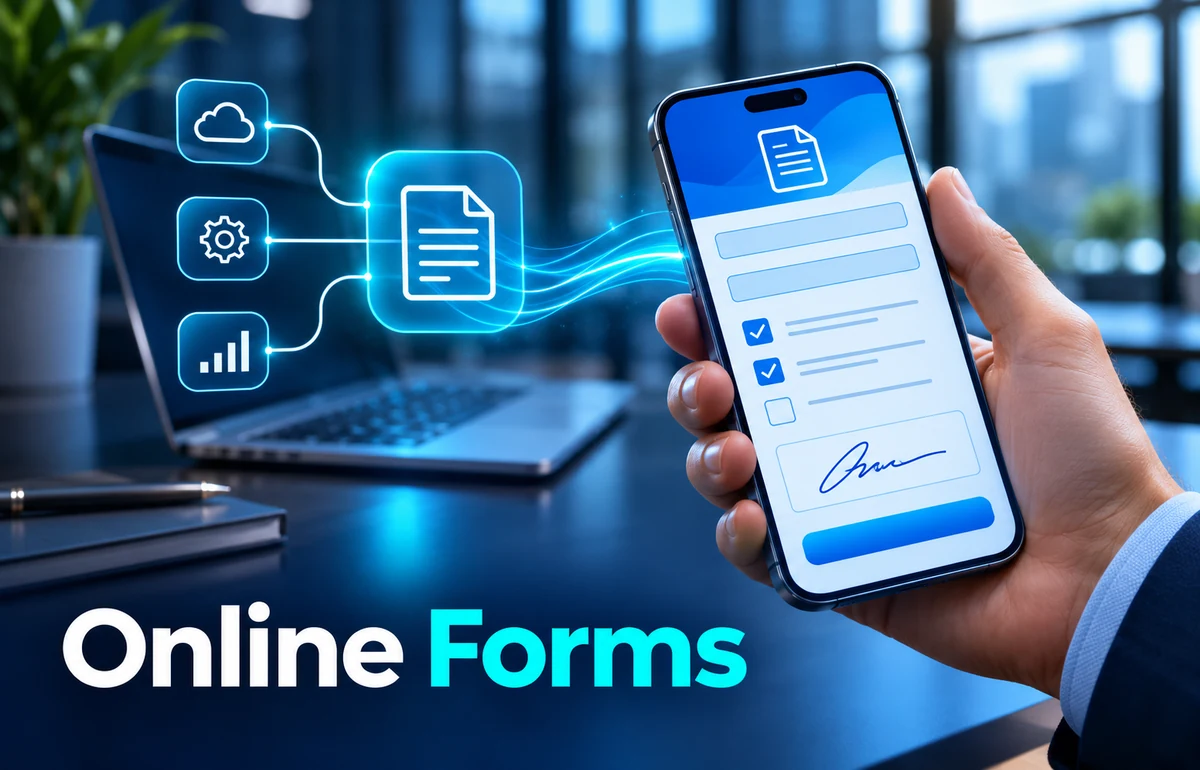
Online forms are digital forms that allow users to enter and submit information electronically, without requiring physical presence or paper-based documents.
They can be used for simple tasks, such as submitting an application, as well as more complex processes, including updating customer information, accepting terms and conditions, or completing contracts electronically.
A modern online form platform may support different field types, predefined rules, data validation, and integration with other business systems.
How Does an Online Form Work in Practice?
The basic process involves four stages:
Form Creation → Form Delivery → Completion and Submission → Data Management
First, the business creates a form and defines the information it needs to collect. The form is then published on its website or shared with selected recipients through a link.
Users complete the required fields and submit their information electronically. The business can then use the collected data to process the request or, through appropriate integrations, trigger subsequent actions.
Example: A service provider needs to update the contact details of 2,000 customers. Instead of making phone calls or requesting individual responses via email, the company can send a personalized online form that allows each customer to confirm or update their information.
The process becomes more organized and convenient for both the business and its customers.
8 Business Processes You Can Digitize with Online Forms
Online forms can be adapted to the needs of businesses across different industries.
Here are eight practical applications that can deliver immediate operational value.
1. Electronic Contracts and Agreements
Businesses that manage large volumes of contracts can use online forms to collect information, obtain acceptance of terms, and facilitate electronic document signing, depending on the legal requirements of each transaction.
For example, a service provider can send customers a link through which they can enter the necessary information, review the terms, and complete the process electronically.
Where required, additional verification steps can be introduced via mobile phone or email.
This reduces the need for printing, physically exchanging documents, and processing paperwork manually.
2. Customer Information Update Forms
Telecommunications providers, insurance companies, organizations, and subscription-based businesses frequently need to keep customer information up to date.
A digital form can allow recipients to confirm or update details such as:
- Contact phone number.
- Email address.
- Postal address.
- Business contact information.
- Communication preferences.
Prefilled fields and personalized links, where supported, can make the process even faster.
3. Applications and Registrations
Educational institutions, organizations, and businesses can replace paper-based applications with digital forms.
Common applications include registrations for educational programs, participation in corporate events, membership applications, and service requests.
With appropriate validation rules, required fields can be checked before submission, reducing the need for repeated follow-up communication.
4. Customer Onboarding
Onboarding a new customer often involves collecting information, verifying details, and obtaining acceptance of specific terms.
An online form can bring these steps together into a single process.
For example, a new customer of a B2B service provider can submit billing details, contact information, and service preferences before their account is activated.
5. Acknowledgments and Approvals
Digital forms can be used to collect acknowledgments, declarations, and confirmations.
For example, an organization may ask employees or partners to confirm that they have reviewed specific instructions or company policies.
The nature of the acknowledgment and its documentation requirements determine whether a simple confirmation is sufficient or whether additional identity verification or signing is needed.
6. Order Forms and Quotation Requests
Businesses can use online forms to collect product inquiries, service requests, and requests for customized quotations.
For example, a B2B supplier may ask prospective customers to specify the product type, required quantity, and delivery requirements.
This allows the sales team to receive structured requests and assess customer needs more efficiently.
7. Customer Satisfaction Surveys and Feedback
Online forms can also serve as tools for collecting customer feedback.
Businesses can send short questionnaires after a purchase, the completion of a service, or an interaction with customer support.
Different question types make it possible to collect both quantitative and qualitative feedback, helping businesses evaluate the customer experience.
8. Marketing Data Collection and Lead Generation
Registration forms are widely used to generate new leads and collect contact information.
They can support activities such as:
- Newsletter subscriptions.
- Contact requests.
- Webinar registrations.
- Access to downloadable resources.
- Subscriptions to customer updates.
When collected information will be used for promotional communications, businesses must ensure that the appropriate transparency, consent, or other applicable lawful-basis requirements are met.
Electronic Contracts: How Do Online Completion and Signing Work?
Contract management is one of the most valuable applications of digital forms because it combines data collection, information verification, acceptance of terms, and signing.
A typical process may include the following stages:
Contract Delivery → Data Entry → Verification → Acceptance of Terms → Electronic Signature → Recordkeeping and Archiving
The exact workflow depends on the platform and the requirements of the document.
What Are the Benefits for Businesses?
Electronic contract management can reduce the need for in-person interactions, minimize manual data entry, and accelerate the completion of agreements.
At the same time, organized digital records make it easier to locate and track relevant submissions.
These capabilities are particularly useful for businesses handling recurring contracts, service activation applications, or partnership agreements.
How Do Online Forms Integrate with SMS, Viber, and Email?
The true value of online forms becomes apparent when they are integrated with a business's communication channels rather than operating as standalone tools.
A form link can be shared with selected recipients via SMS, Viber Business Messages, or Email, making it easier for them to complete a process without having to search for the relevant document themselves.
Example: Updating Customer Information via SMS
A business wants customers to confirm their contact details.
It can create the following workflow:
SMS Delivery → Personalized Form Access → Information Confirmation → Form Submission → Business Notification
SMS provides direct access to the form, while the digital process enables structured collection of customer responses.
Example: Electronic Contracts via Viber
A service provider can send customers a personalized link through Viber.
The recipient opens the form, reviews any prefilled information, completes the required fields, and proceeds with the appropriate acceptance or signing process.
The business can then monitor whether the form has been completed and submitted.
Example: Registration Forms via Email
An organization can send an event invitation that includes a registration form link.
Recipients complete the form, and their information is collected centrally, reducing the need to manage individual email responses.
The key advantage is that the message is no longer the final step in the communication. It becomes the starting point of a complete digital workflow.
How Can You Automate Business Processes After Form Submission?
Collecting information is only the first step.
In a properly structured process, submitting a form can trigger subsequent business actions.
This approach is known as workflow automation.
From Data Collection to Automation
Suppose a prospective customer submits an inquiry form.
Depending on the capabilities of the connected systems, the following actions can be automated:
- Recording the information in the CRM.
- Creating a new lead.
- Assigning the request to the appropriate team.
- Sending a submission confirmation.
- Triggering an internal notification.
- Tracking the progress of the request.
Unlike a basic online form, this approach allows the collected information to be used directly by business systems, without necessarily requiring manual data entry.
The Role of APIs and Webhooks
APIs allow different systems to exchange data through programmatic integrations.
Webhooks are commonly used to send notifications or data when a specific event occurs.
For example:
Form Submission → Webhook → CRM → Request Creation
An integration like this can reduce the time between receiving a submission and taking the next action.
However, it is important to distinguish technical integration capabilities from ready-made automation. Each workflow requires appropriate configuration and testing.
What Features Should a Modern Online Form Platform Offer?
Not all online form solutions offer the same capabilities.
A simple contact form may only require a few basic fields. More complex business processes, however, often require additional functionality.
No-Code Form Builder
A no-code form builder allows business teams to create and modify forms without requiring developer involvement for every change.
Conditional Logic and Dynamic Fields
Dynamic forms can show or hide questions based on previous answers.
For example, if a user selects a specific service, the form can display only the fields relevant to that service.
This removes unnecessary questions and makes the completion process simpler.
Personalized Forms
The ability to create personalized links or prefilled fields is particularly useful when a business already holds certain information about the recipient.
OTP Verification
Verifying a mobile number or email address through a one-time password (OTP) can confirm that the user has access to the communication channel provided.
This can improve data reliability, although it does not, on its own, constitute full identity verification or valid marketing consent.
Electronic Signatures
For processes involving document acceptance and contracts, check whether the platform supports electronic signature fields and what type of signing functionality it provides.
Responsive Design
An online form should work properly across smartphones, tablets, and computers.
Mobile usability is particularly important when forms are distributed through SMS or Viber.
Reporting and Submission Tracking
The ability to monitor responses, submission progress, and completion rates helps businesses identify areas for improvement.
APIs and Integrations
For larger organizations or more complex processes, the ability to integrate with CRM, ERP, and other systems can be a key selection criterion.
Online Forms and GDPR: What Should You Consider?
Online forms are frequently used to collect personal data. Therefore, data protection should be considered from the earliest stages of their design.
The General Data Protection Regulation (GDPR) establishes principles such as transparency, data minimization, purpose limitation, and appropriate information security.
In practice, businesses should consider the following:
- Purpose of Data Collection: Why is each piece of information requested, and how will it be used?
- Lawful Basis: What is the appropriate lawful basis for processing the data?
- Privacy Information: Are users clearly informed about how their personal data will be processed?
- Access Restrictions: Which employees or partners need access to the information?
- Security: How are submissions and system integrations protected?
- Data Retention: How long is it necessary to retain the information?
Is a Consent Checkbox Always Required?
No. Consent is not the only lawful basis for processing personal data.
For example, collecting information necessary to perform a contract may rely on a different lawful basis from processing data for promotional communications.
However, if a business also wants to use a form to collect marketing consent, it must ensure that the relevant choice meets applicable requirements and is appropriately separated from other purposes.
A platform offering consent checkboxes and security controls can support these processes, but it does not automatically guarantee full GDPR compliance.
How to Get Started with Digitizing Your Business Processes
Moving to online forms does not necessarily mean transforming every business process at once.
A more practical approach is to begin with a repetitive task that currently requires significant manual effort.
Step 1: Choose a Process with Clear Business Value
For example, updating customer information, registering participants, or collecting service requests.
Step 2: Identify the Information You Actually Need
Remove fields that do not serve the purpose of the process and arrange the questions in a logical order.
Step 3: Design the User Journey
Decide how users will receive the form, how long it should take to complete, and what happens after submission.
Step 4: Define the Next Actions
Determine which team will receive the information and whether integration with other systems is required.
Step 5: Run a Pilot Test
Test the form using real-world scenarios and different devices. Check submissions, access permissions, and any connected workflows.
Step 6: Measure the Results
Relevant performance indicators may include completion time, successful submission rate, incomplete applications, and the administrative time required to process requests.
These insights can help you evaluate the outcome and gradually expand the use of online forms across other business processes.
Online Forms by Yuboto
Yuboto Forms is a solution for creating and managing online forms that can be tailored to different business requirements.
Through a no-code interface, businesses can create digital forms using different question types, conditional logic, and personalization capabilities.
Forms can be published online or shared with selected recipients via SMS, Viber, and Email, supporting processes such as data collection, registrations, customer information updates, and electronic contract completion.
The service also supports features such as:
- Dynamic questions and personalized fields.
- Personalized links for individual recipients.
- Mobile phone or email verification via OTP.
- Electronic signature fields.
- Reporting and submission tracking.
- Integration capabilities through APIs and webhooks.
- Customizable branding and appearance.
Combined with Yuboto's Business Messaging solutions, online forms can support processes that begin with a digital communication and continue through data collection, verification, and management.
Discover how Yuboto Forms can help your business digitize contracts, applications, and everyday processes while reducing manual work.
Explore Yuboto FormsConclusion
Online forms for businesses are more than an alternative way to collect information. They are a business process digitization tool that can reduce administrative work, accelerate service delivery, and improve the organization of business information.
From electronic contracts and applications to customer information updates and onboarding, their use cases span different areas of business operations.
When integrated with SMS, Viber, Email, and business systems, online forms can also become part of automated workflows, reducing the need for repetitive manual tasks.
The real value, therefore, goes beyond replacing paper with a digital screen.
It lies in the ability to transform fragmented processes into structured, digital, and more efficient experiences for both businesses and their customers.